
Digital Audio Converter2.6 - Download
You'll be able to download in few seconds.
Publisher Description
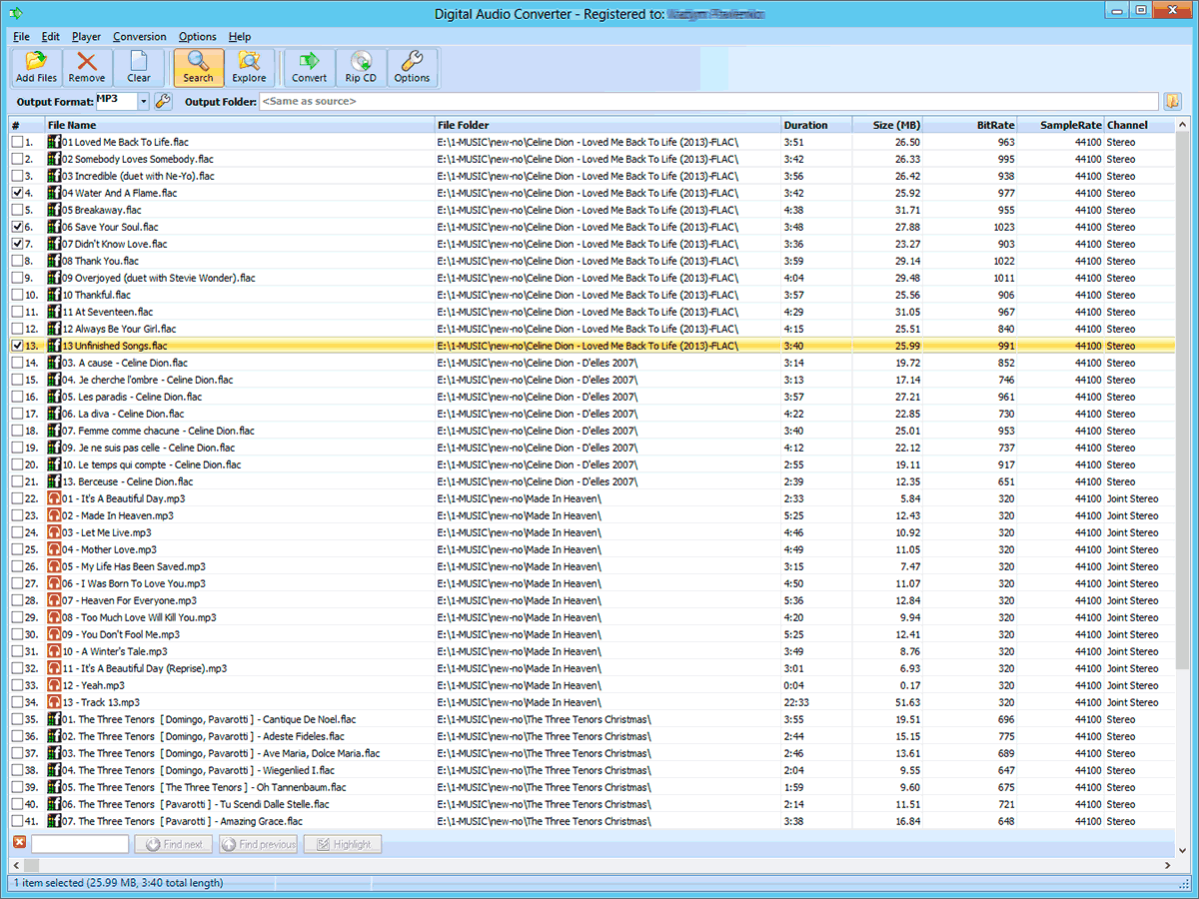
Digital Audio Converter's purpose is converting audio files from one format to another according to your wish and saving them to your hard drive. The following audio formats are available for conversion: WAV(PCM), OGG Vorbis, MP3, WMA, FLAC, APE, MPC, SPX, TTA, WV, AAC.
Converting audio files Digital Audio Converter user will find the opportunity to specify frequency, number of channels, bitrate and other parameters of output files. Digital Audio Converter supports Winamp, M3U and PLS-playlists and ID tags.
Also program is intended for extracting music tracks from audio CDs and converting them to popular sound file formats such as MP3, WAV, OGG and other. Digital Audio Converter is capable of automatic retrieving of disk information (e.g. Artist, Album, Genre and track names) from FreeDB, a music information database on the Internet.
About Digital Audio Converter
This Audio Encoders/Decoders program is available in English, Spanish, Italian, Hebrew, French, Russian, Ukrainian. It was last updated on 29 September, 2026. Digital Audio Converter is compatible with the following operating systems: Windows, Windows-mobile.
The company that develops Digital Audio Converter is Digital Action. The latest version released by its developer is 2.6.
The download we have available for Digital Audio Converter has a file size of 4.2 MB. Just click the green Download button above to start the downloading process. The program is listed on our website since 2014-05-19 and was downloaded 0 times. We have already checked if the download link is safe, however for your own protection we recommend that you scan the downloaded software with your antivirus. Your antivirus may detect the Digital Audio Converter as malware if the download link is broken.
How to install Digital Audio Converter on your Windows device:
- Click on the Download button on our website. This will start the download from the website of the developer.
- Once the Digital Audio Converter is downloaded click on it to start the setup process (assuming you are on a desktop computer).
- When the installation is finished you should be able to see and run the program.
Program Details
General
System requirements
Download information
Pricing
Version History
version 2.6
posted on 2014-05-19
Bugs fixed when converting between M4A or M4B and other files, freezing interface when adding a large number of files * Minor changes were made in the program's interface * Improved overall stability.
version 2.1
posted on 2008-12-02
Added support for WMA files; And some minor fixes - see accompanying ReadMe file for details.
Disclaimer
External Download
We do not host Digital Audio Converter on our servers. We did not scan it for viruses, adware, spyware or other type of malware. This app is hosted by the software publisher and passed their terms and conditions to be listed there. We recommend caution when installing it.
The external download link for Digital Audio Converter is provided to you by apps112.com without any warranties, representations or guarantees of any kind, so access it at your own risk.
If you have questions regarding this particular app contact the publisher directly. For questions about the functionalities of apps112.com contact us.
